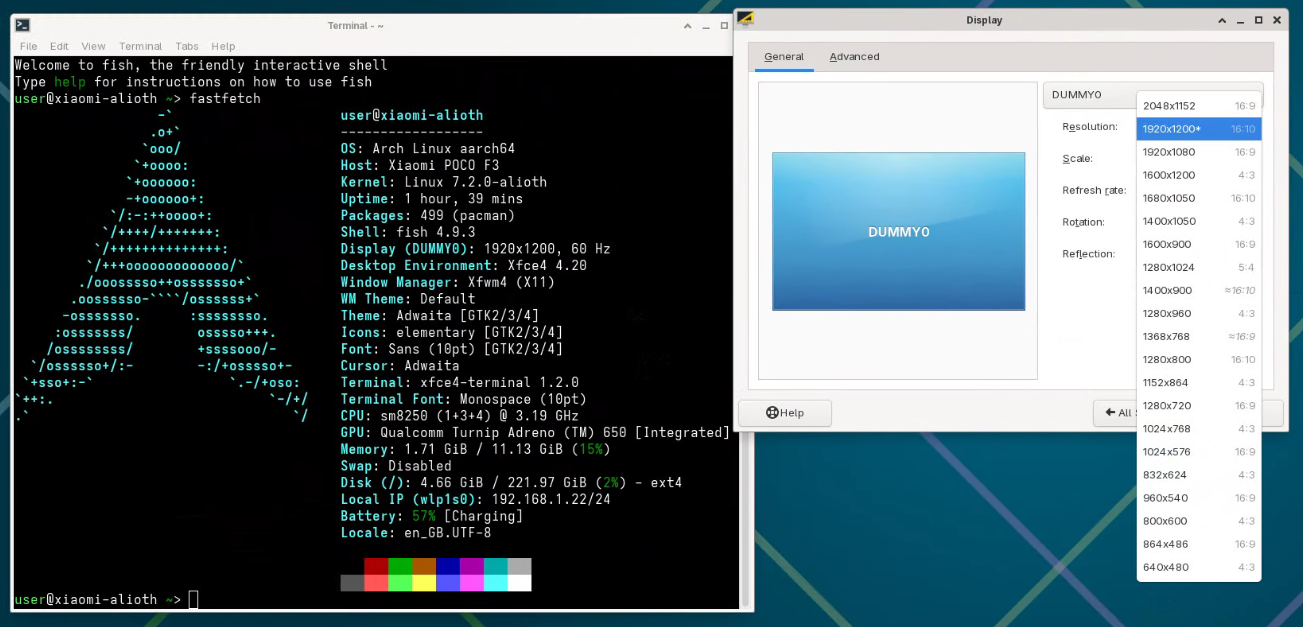
Xorg 的无头配置
本节参考 https://wiki.archlinux.org/title/Xorg#Manual_configuration
如果 Xorg 无法检测到任何显示器,或者没有自动配置,则可使用配置文件。一个常见的情况是使用无头系统时,系统在没有显示器的情况下启动并自动运行了 Xorg,要么是在登录 时从 虚拟控制台,或者是从一个显示管理器。
bash
sudo pacman -S xf86-video-dummySection "Monitor"
Identifier "dummy_monitor"
HorizSync 28.0-80.0
VertRefresh 48.0-75.0
Modeline "1920x1080" 172.80 1920 2040 2248 2576 1080 1081 1084 1118
EndSection
Section "Device"
Identifier "dummy_card"
VideoRam 256000
Driver "dummy"
EndSection
Section "Screen"
Identifier "dummy_screen"
Device "dummy_card"
Monitor "dummy_monitor"
SubSection "Display"
EndSubSection
EndSectionlightdm 配置自动登录 xfce
Xorg(1) 命令通常不直接运行。而是使用显示管理器或者xinit来启动 X server。
本节参考 https://wiki.archlinux.org/title/LightDM#Enabling_autologin
bash
sudo pacman -S xorg-server lightdm
sudo pacman -S xfce4-panel xfce4-session xfce4-settings xfce4-terminal xfdesktop xfwm4
It is possible to use LightDM without a greeter, but only if an automatic login is configured https://wiki.archlinux.org/title/LightDM#Greeter
ini
[Seat:*]
session-wrapper=/etc/lightdm/Xsession
autologin-user=user
autologin-user-timeout=0
autologin-session=xfce
bash
sudo groupadd -r autologin
sudo gpasswd -a user autologin
启用并启动 lightdm.service 服务。
RustDesk 配置
我安装了支持 aarch64 的 rustdesk-binAUR
https://rustdesk.com/docs/en/self-host/client-configuration/advanced-settings/
以下选项存在于 RustDesk 1.5.1。
bash
sudo rustdesk --option allow-remote-config-modification Y
sudo rustdesk --option direct-server Y
sudo rustdesk --password passw0rd
rustdesk --get-id
启用并启动 rustdesk.service 服务,然后可以用 ID 或 IP 直接连接。
故障排查
lightdm 正常启动但是没有桌面会话
loginctl show-seat seat0 -p CanGraphical 显示 CanGraphical=no,没有图形主设备。可以配置跳过检查,或修复你的图形设备:
ini
[LightDM]
logind-check-graphical=false